


Where can I change my password and personal details?
You can manage your personal details and sign-in methods in your Eventfrog account settings. You can find your profile details and email address under “My details”. You can manage your password, passkeys and multi-factor authentication (MFA) under “Security”.
How can I change my password?
- Open “Settings” in your Eventfrog account.
- Select “Security”.
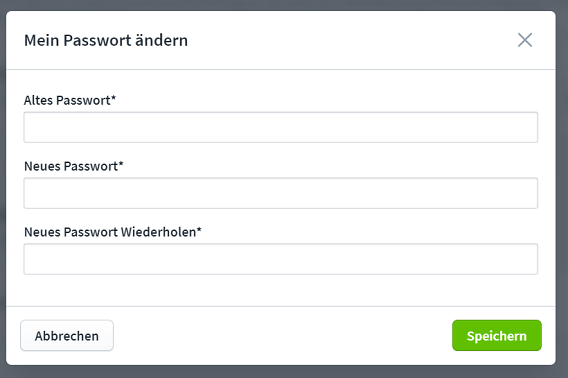
- In the “Change my password” section, click “Change password”.

Enter your current password, then enter your new password twice.
Click “Save”.
Forgotten your current password? Find out how to reset it here: “I have forgotten my password. What should I do?”
Where can I edit my personal details?
Open “Settings” and select “My details”. In the “My profile” section, you can edit details such as your name, address and mobile number, or add a profile picture.

How can I change my email address?
- Open “Settings” and select “My details”.
- Scroll to the “My email address” section.
- Click “Change email address”.
- Enter your new email address and password.
- Click “Save” and follow the instructions to confirm your email address.

How can I make my account more secure?
Open “Settings” and select “Security”. Scroll to the “Sign-in methods” section.
- Create a passkey: Sign in without a password using your fingerprint, facial recognition or device PIN.
- Enable multi-factor authentication (MFA): Add an extra layer of security to your password sign-in with a code from an authenticator app. If MFA is not yet enabled, click “Enable now”.

We recommend setting up a passkey or enabling MFA.